Industrial inventory solutions for Malaysia & Singapore+60 18-223 9120
Product portfolio
Orbix / Z900 carousel inventory

Your inventory changes.
Your storage can too.

Reconfigure the compartments yourself, at your site, whenever your item mix changes. Z900 combines adaptable carousel storage with controlled access for up to 900 SKUs.
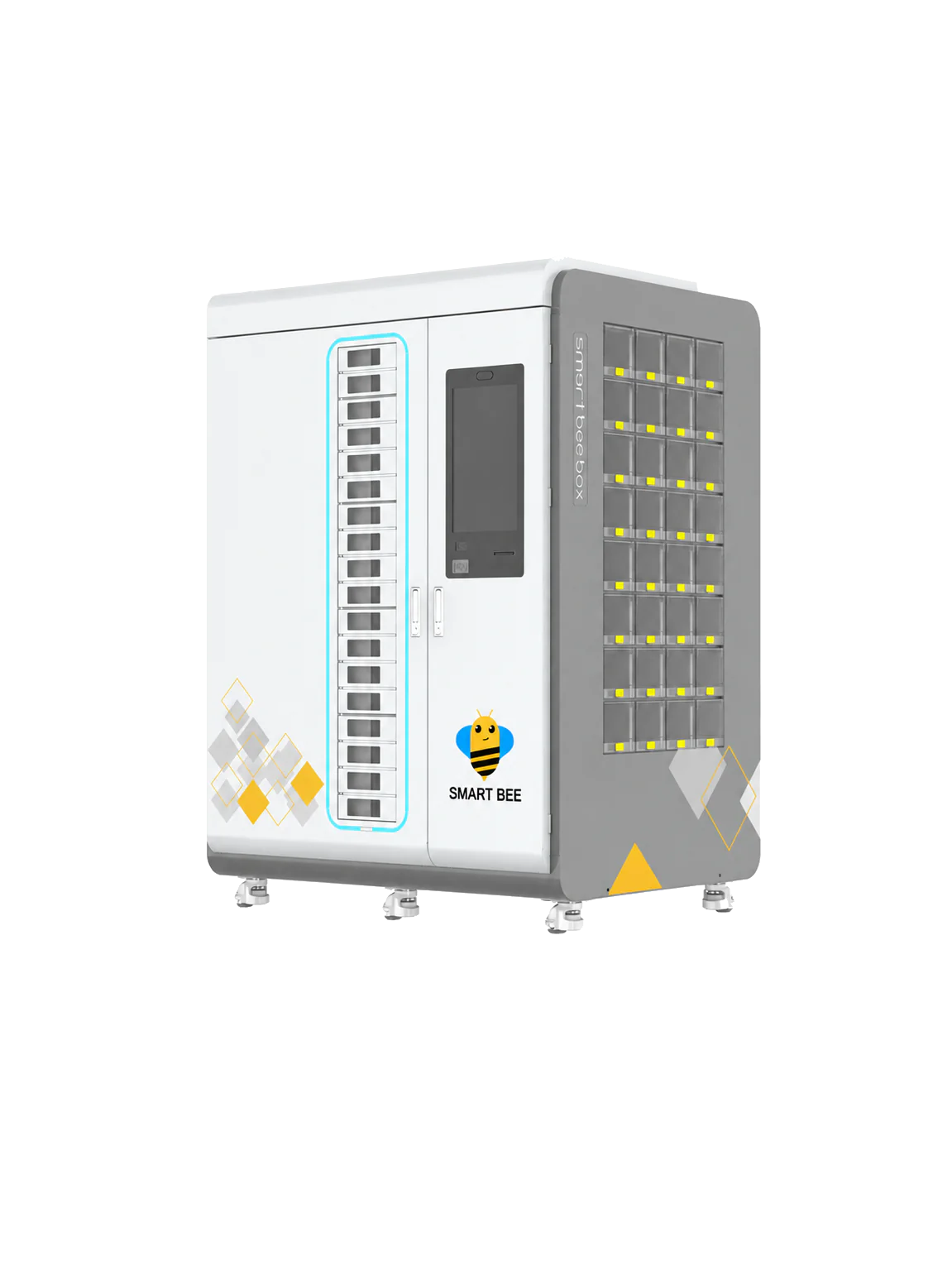
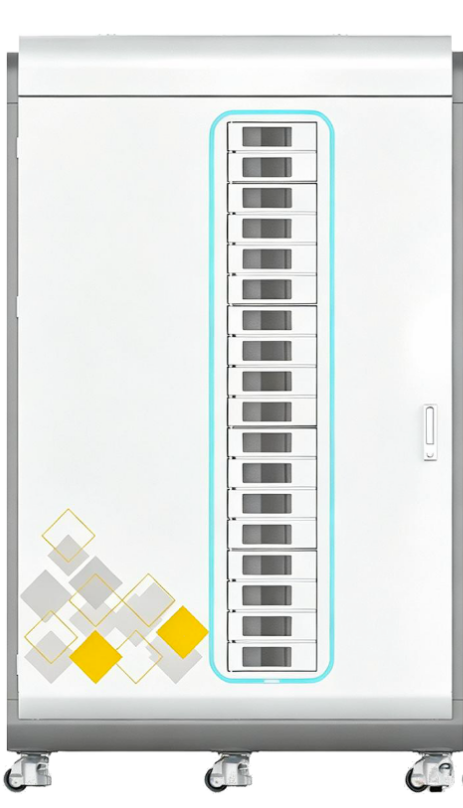
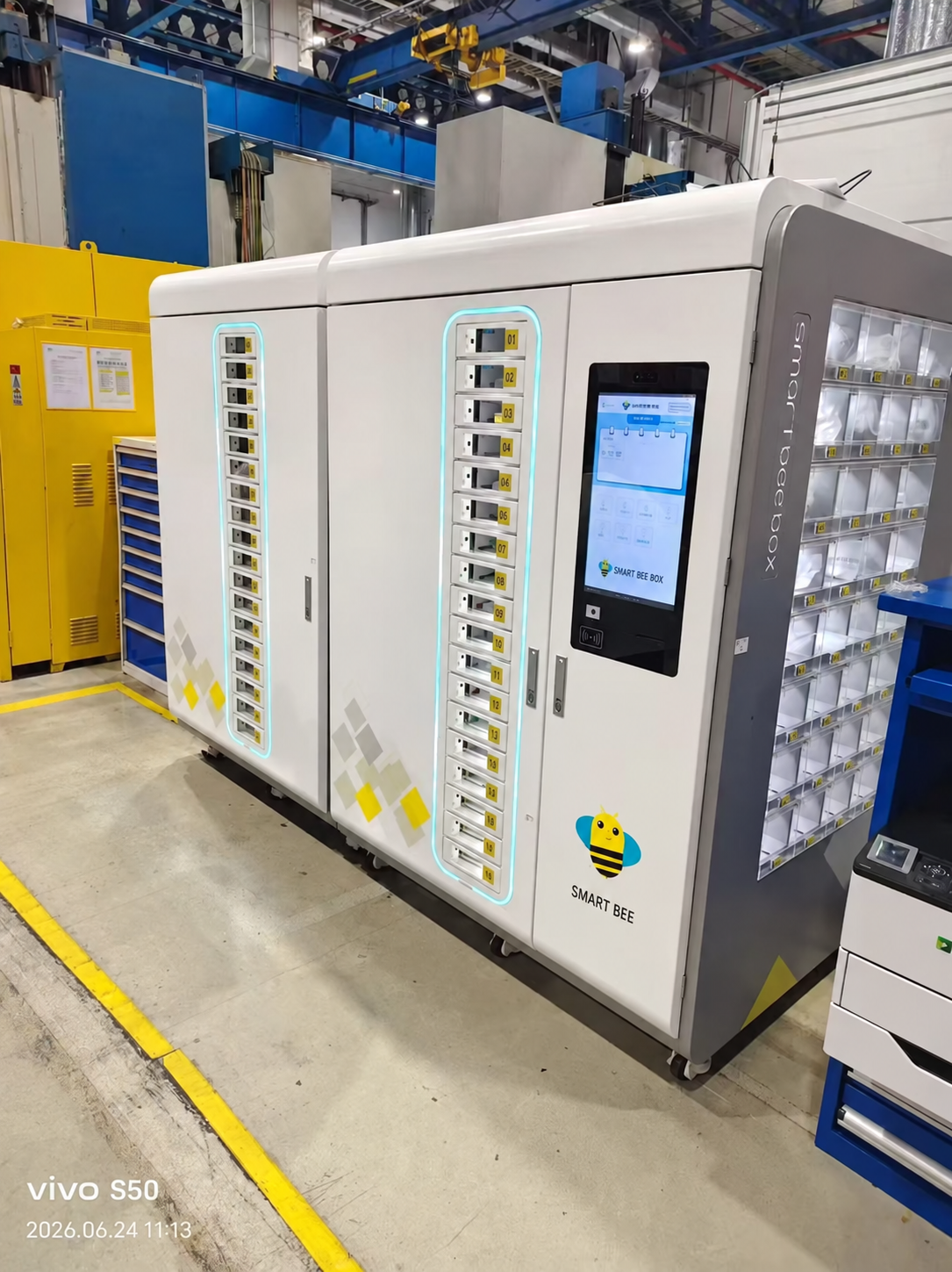
Orbix Z900 carousel cabinet with side compartments
900maximum SKUs
18carousel layers
32side compartments
7maximum expansion cabinets
Z900 unit functions

Six ways to support your workflow.

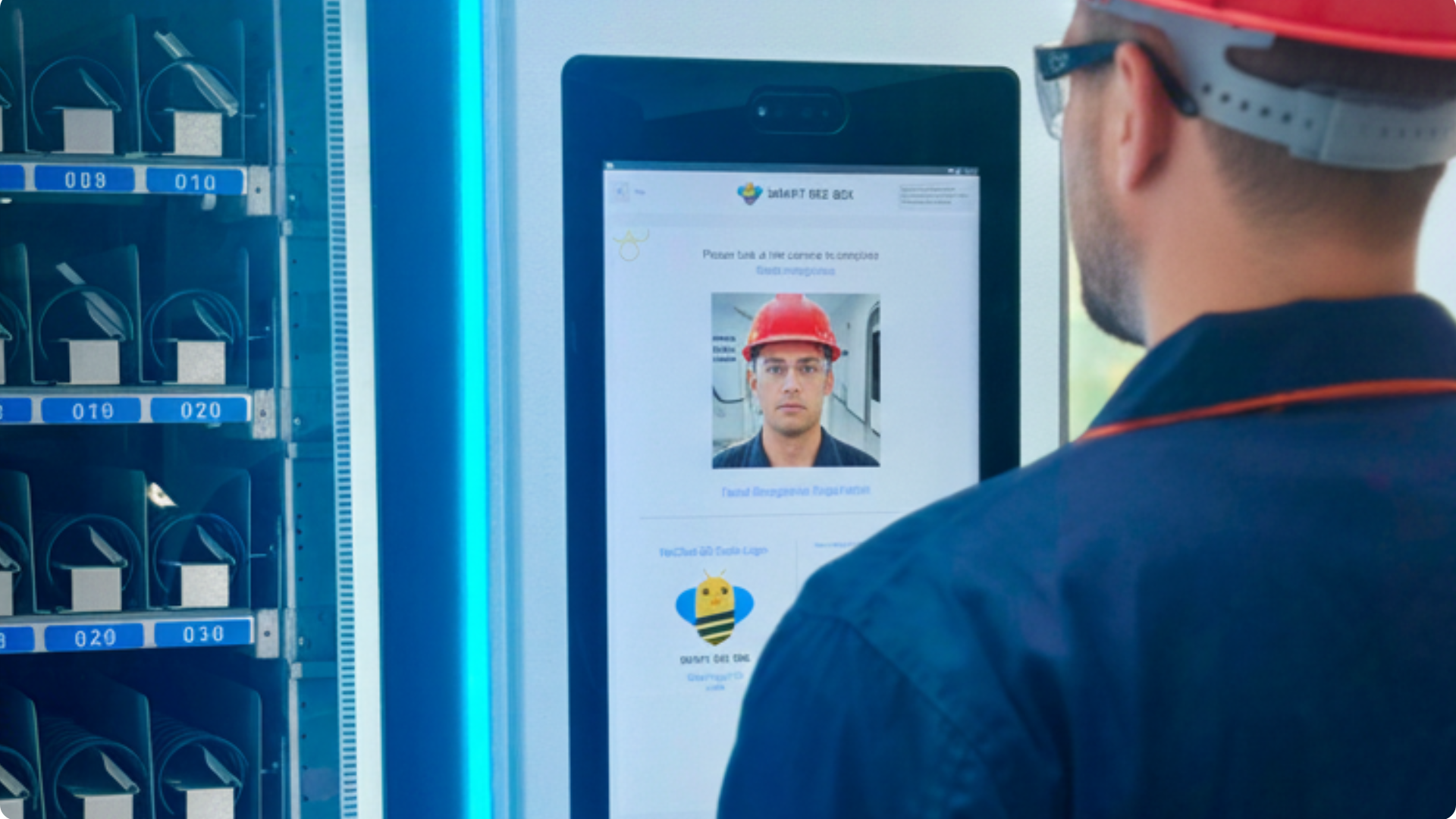
Face ID01

Face ID

Identify authorised users with Face ID and apply individual access permissions.
Label printer and scanner02

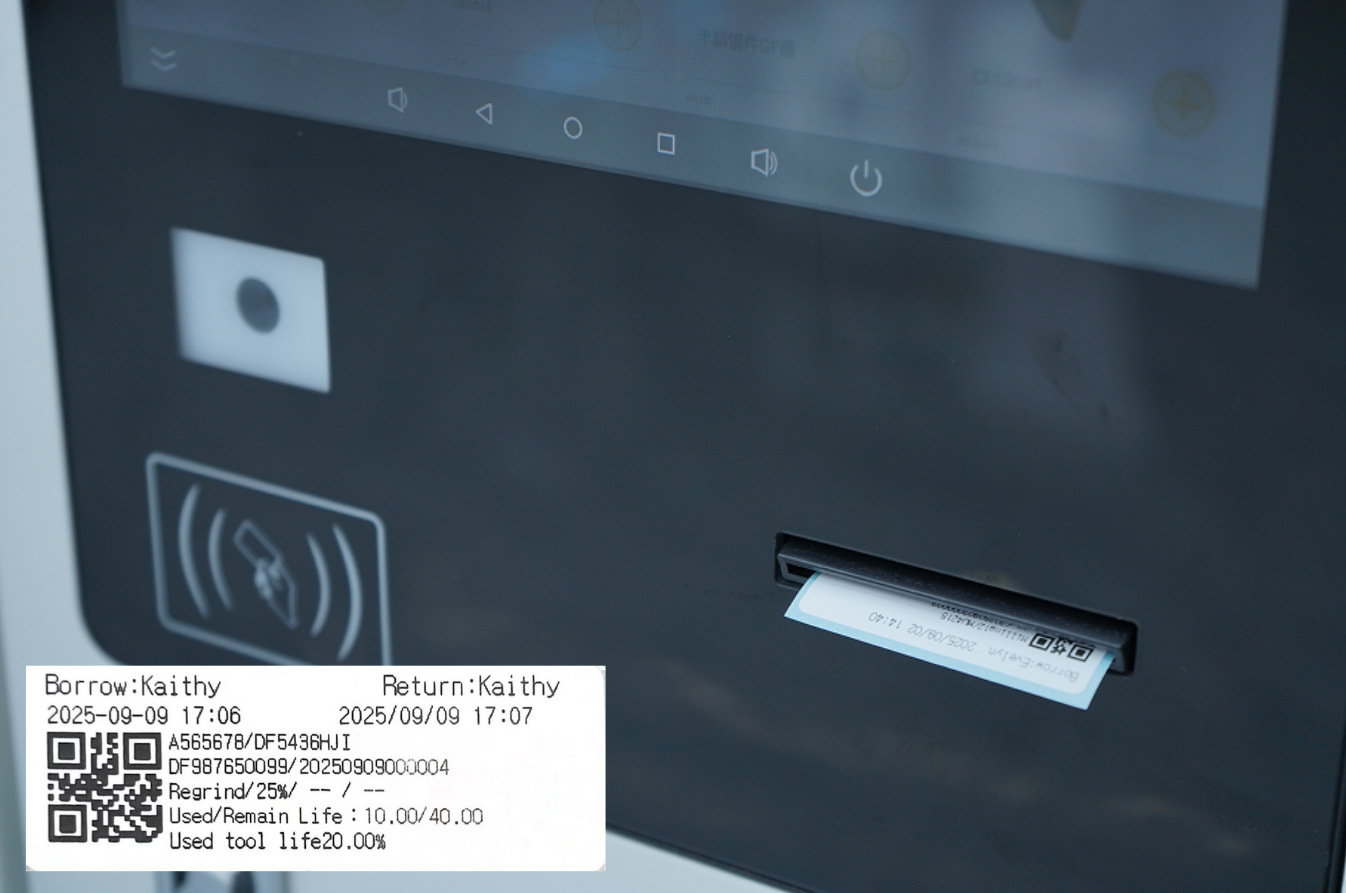
Label printer & scanner

Scan barcodes to identify materials and print labels at the cabinet for clear identification and traceable handling.
Up to 900 SKUs in one machine03

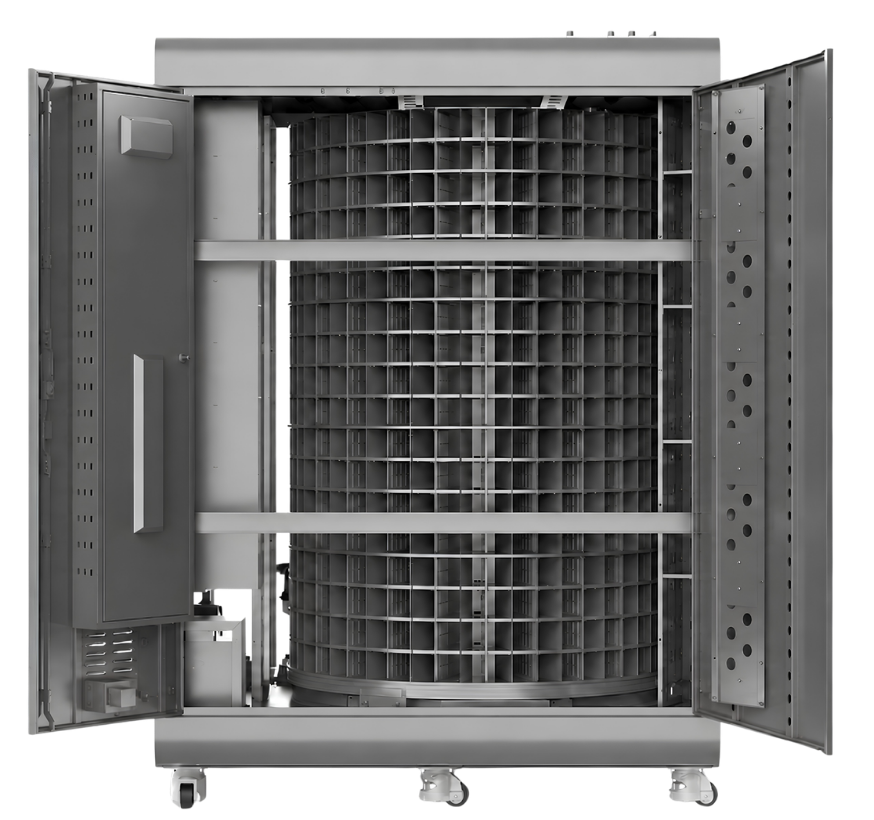
Up to 900 SKUs in one machine

Store a broad range of items in the internal carousel. Maximum capacity depends on the compartment layout.
Configure it yourself. Anytime.04

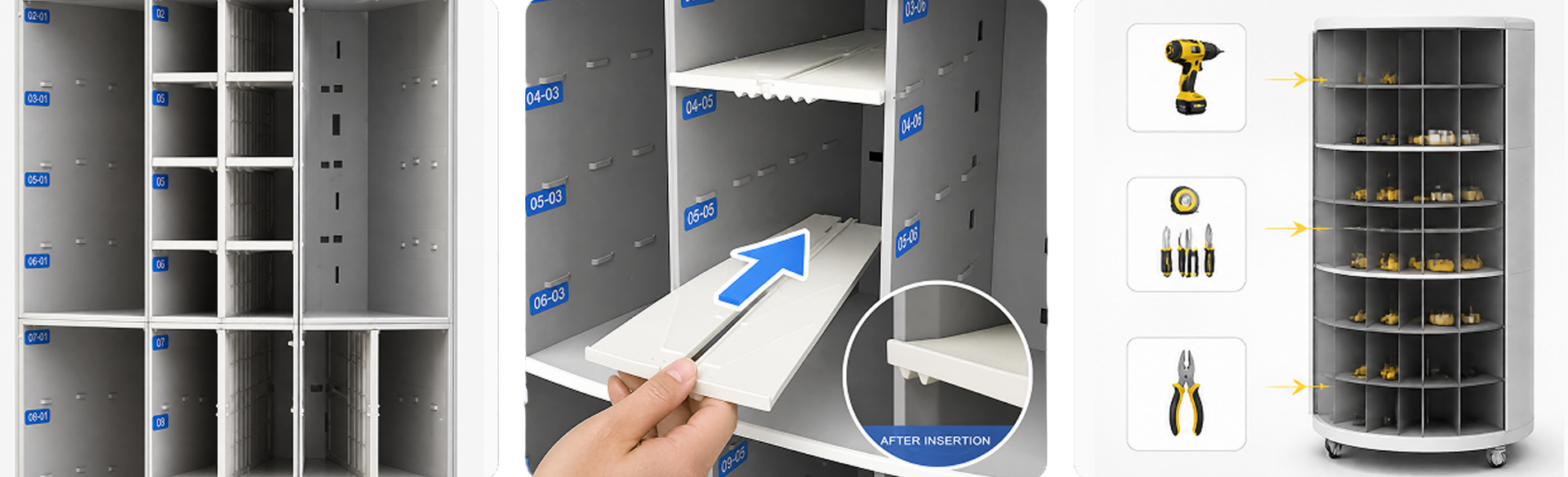
Configure it yourself. Anytime.

Adjust the dividers at your site as your inventory changes. No factory preconfiguration required.

See how to change the layout →
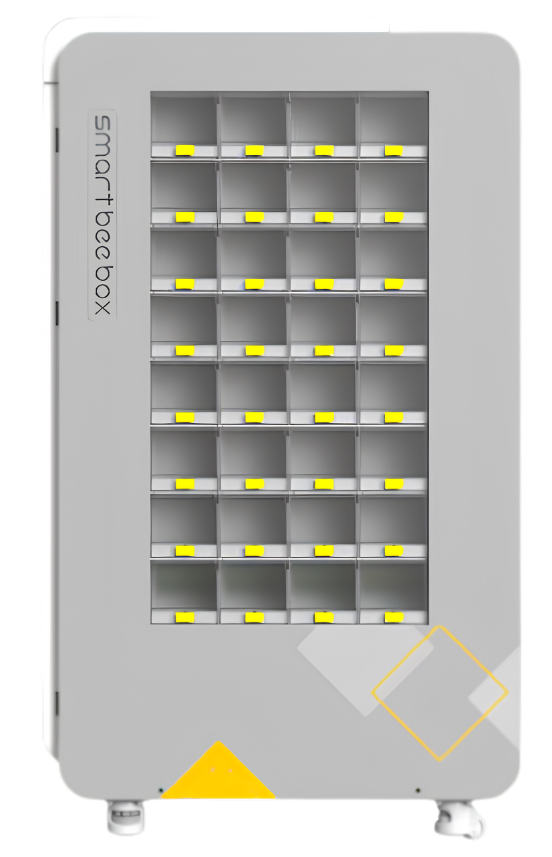
32 extra side compartments05

32 extra side compartments

Additional side storage, with each compartment measuring 118 × 150 × 240 mm.
RFID module — optional06

RFID module — optional

Precise control of diverse, small-batch materials.

Fully automated tracking of every material—from collection to return and confirmation.

Customer-configurable storage

Change the layout.
Keep the cabinet.

Your compartment layout does not have to be fixed before delivery. Adjust the dividers on site and update the configuration as your inventory evolves. Larger compartments reduce the total number of storage positions.

Removable dividers and different compartment sizes inside the Orbix carousel
01

Arrange the dividers

Adapt the physical compartments to the size of the items you need to store.

02

Update the configuration

Set the new compartment arrangement on the on-cabinet touchscreen after the hardware change.

03

Keep adapting

Change the arrangement again when new tools, consumables or spare parts enter your inventory.

Configuration workflow

Change the hardware. Then set the screen.

Two connected steps to put your new compartment layout into use.

Step 01 / Hardware

Arrange your compartments.

Move the dividers to fit your items. Your team can make the change on site, without factory preconfiguration.
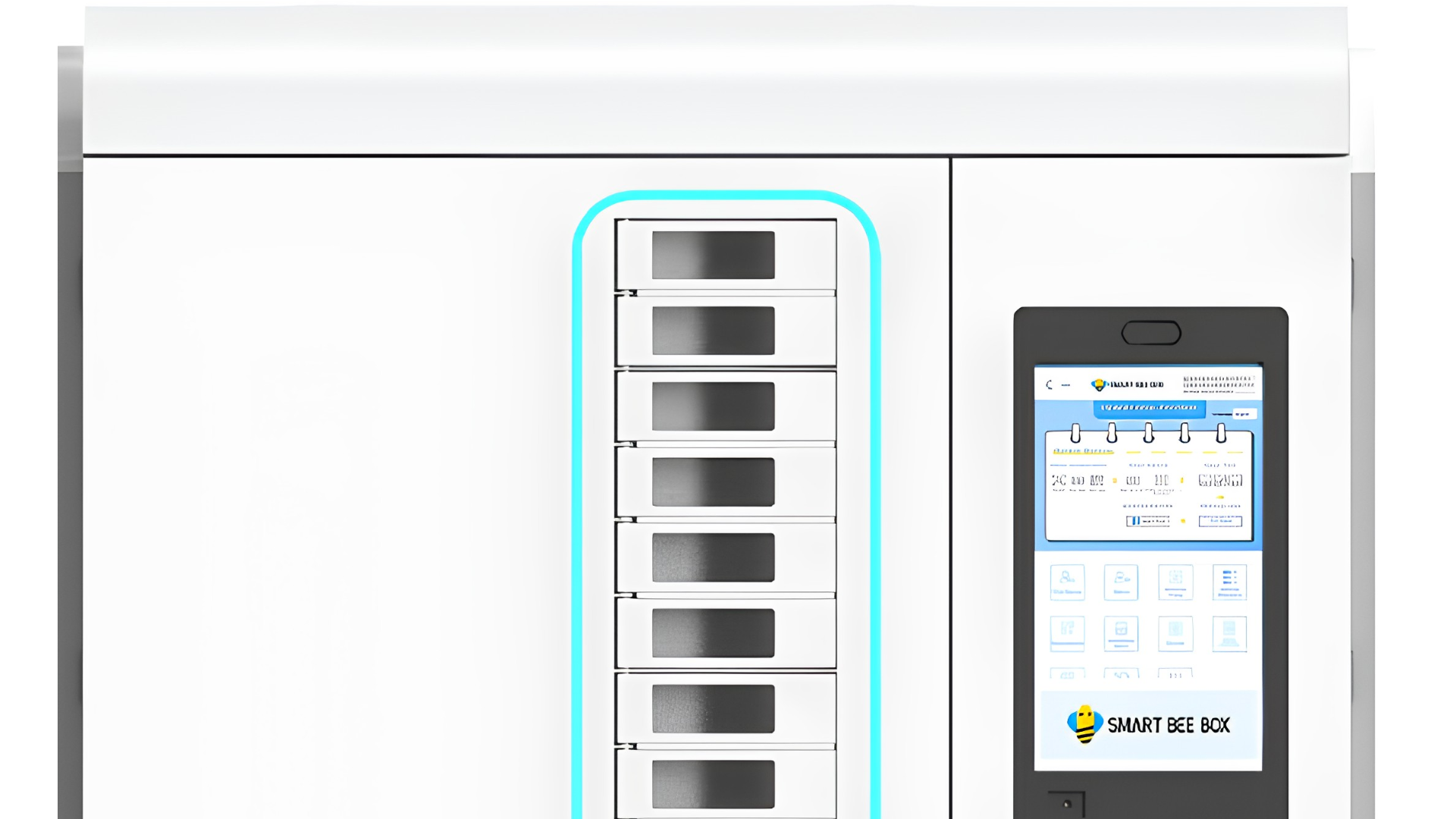
Orbix Z900 cabinet with integrated touchscreen
Step 02 / Software

Confirm the layout on the touchscreen.

Once the physical compartments are ready, set the matching arrangement on the cabinet screen. Follow the demonstration to complete the configuration.

On-cabinet software setup after changing the physical compartments
Z900 in motion

Borrow. Return. Get back to work.

Watch the everyday borrowing and return workflows.

Borrow

Controlled access brings the selected compartment to the pickup door.

Return

Record the return and place the item in its assigned compartment.

Z900 software capabilities

One platform. Two interfaces.
Connected inventory control.

Select a feature to see its cabinet and web demonstrations.

Smart rotary access: on-cabinet touchscreen demonstration
On-Cabinet TouchscreenFactory floor · Operator interface
Smart rotary access: web management demonstration
Web Management PlatformDesktop · Manager and analyst interface
Automatic rotation brings the right item to the operator

Smart rotary access

The system rotates the requested compartment to the pickup point so operators can retrieve the correct material without searching through shelves.
  • Automatic positioning of the target compartment
  • Fast access through a single pickup point
  • Reduced search time and picking errors
  • System-controlled access to authorised items
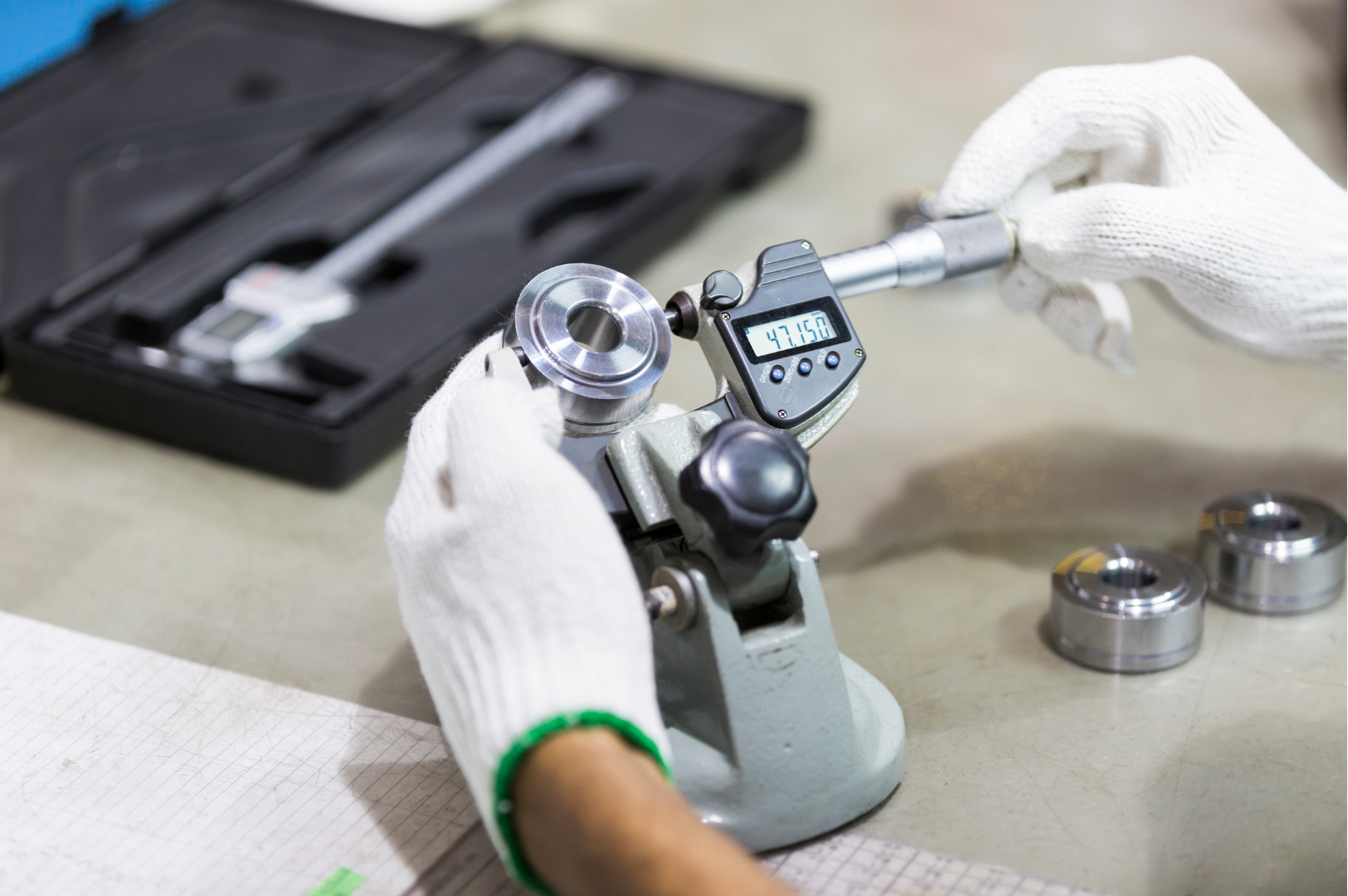
A precision component being measured with a digital micrometer
TOOL CALIBRATION MANAGEMENT

Keep precision
on schedule.

From tool usage to calibration readiness

The right reminder.
At the right interval.

Plan calibration around how each tool is used. Set the appropriate interval, notify your team and keep the records ready for review.

Usage countNumber of uses
Usage lengthAccumulated length
Operating hoursTime in use
Calendar daysScheduled intervals

Calibration alerts

Flag tools approaching their configured calibration interval so your team can plan ahead.

Email notifications

Notify the responsible personnel when calibration is due, helping keep follow-up on track.

Automatically generated reports

Bring calibration status and recorded history together for quality reviews and audit preparation.

Support your ISO 9001 quality processes.

Organised calibration records help support equipment control and audit preparation within your quality management system.

Reports support documentation; calibration and verification must still follow your organisation’s procedures. Usage-based intervals depend on the activity data recorded or integrated with the system.
Room to grow

One Z900.
Up to seven expansions.

Add compatible carousel cabinets as your inventory grows, managed through the main unit.
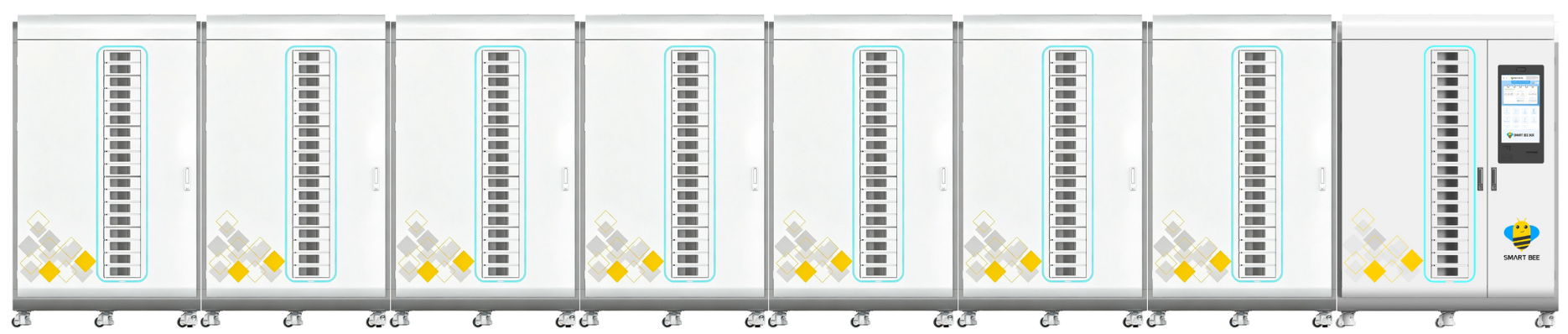
One Orbix main cabinet connected to seven expansion cabinets
Orbix carousel expansion cabinet

Z900 expansion cabinet

Additional carousel storage connected to the main cabinet.

Dimensions (H × W × D)
1900 × 1150 × 1100 mm
Maximum connected expansions
7 cabinets per main unit
Technical specifications

Orbix Z900.

View full datasheet
Orbix Z900 main cabinet
Model
Orbix Z900
Main cabinet (H × W × D)
1900 × 1350 × 1100 mm
Expansion cabinet (H × W × D)
1900 × 1150 × 1100 mm
Carousel capacity
Up to 900 SKUs, depending on compartment layout
Carousel layers
18 layers · up to 50 small compartments per layer
Side storage
32 compartments · 118 × 150 × 240 mm (H × W × D)
Compartment load
0.5–10 kg, depending on compartment configuration
Display
18.5-inch · 1920 × 1080
Control and drive
PLC, servo drive and servo motor
Peripherals
AI camera, IC card reader, barcode scanner and printer
Connectivity
Ethernet + 4G / Wi-Fi
Cabinet input
AC 220 V · transformer required for 110 V
Power consumption
Approximately 60 W standby / 150 W maximum
Expansion
One main cabinet + up to 7 expansion cabinets

Capacity depends on compartment size and arrangement. Specifications follow the supplied Orbix datasheet dated 18 August 2026.

Site installations

At work on the factory floor.

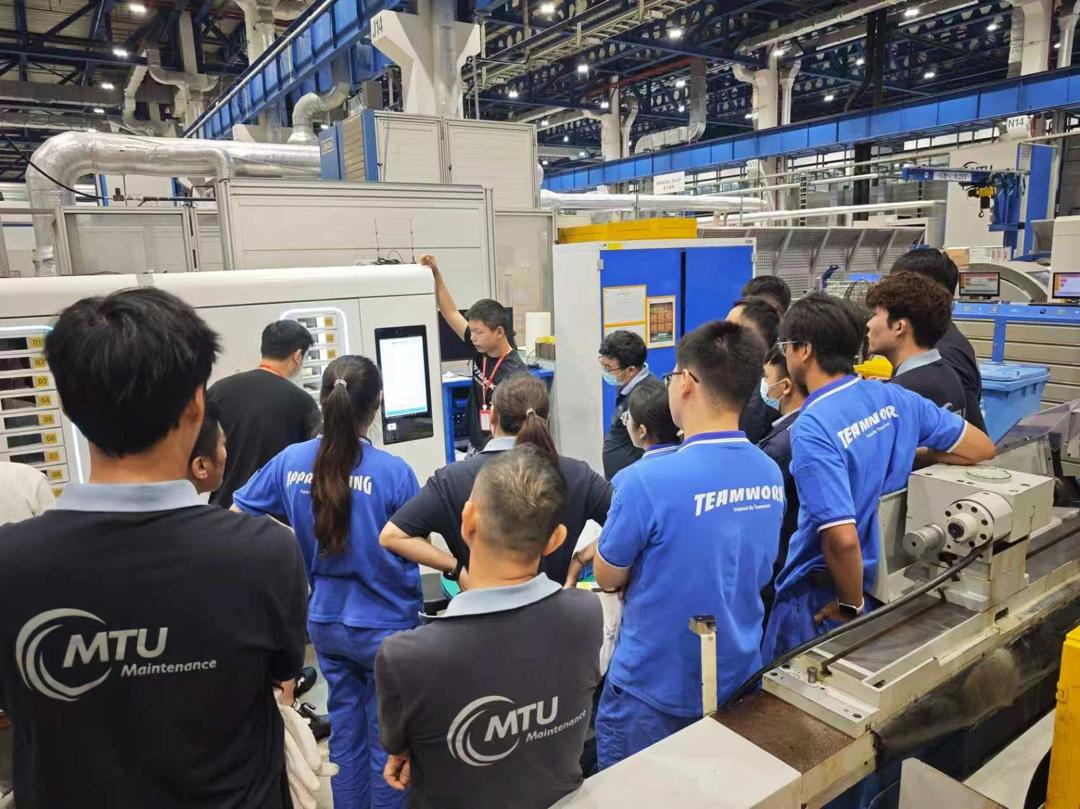
Cabinet installation, demonstrations and operator training in real working environments.
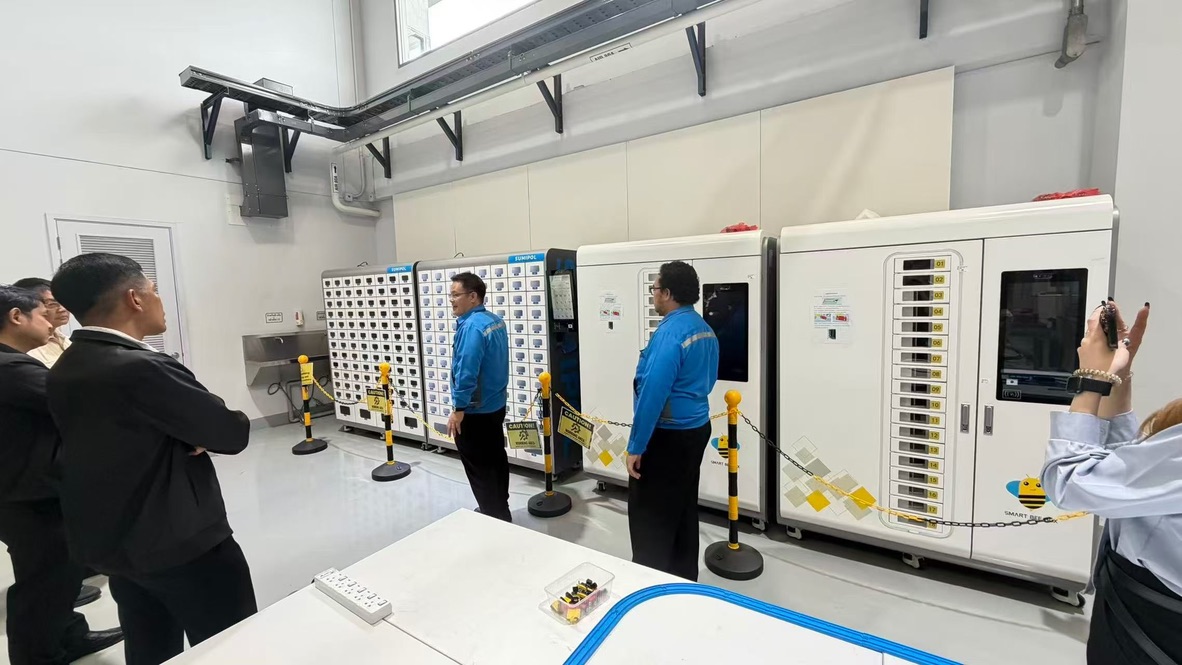
Orbix site installation and training 1
Site demonstration
Orbix site installation and training 2
Installed cabinet and expansion
Orbix site installation and training 3
Operator training

What would you store in your Z900?

Talk to our team