What Is a Smart Vending Machine and Its 7 Key Benefits
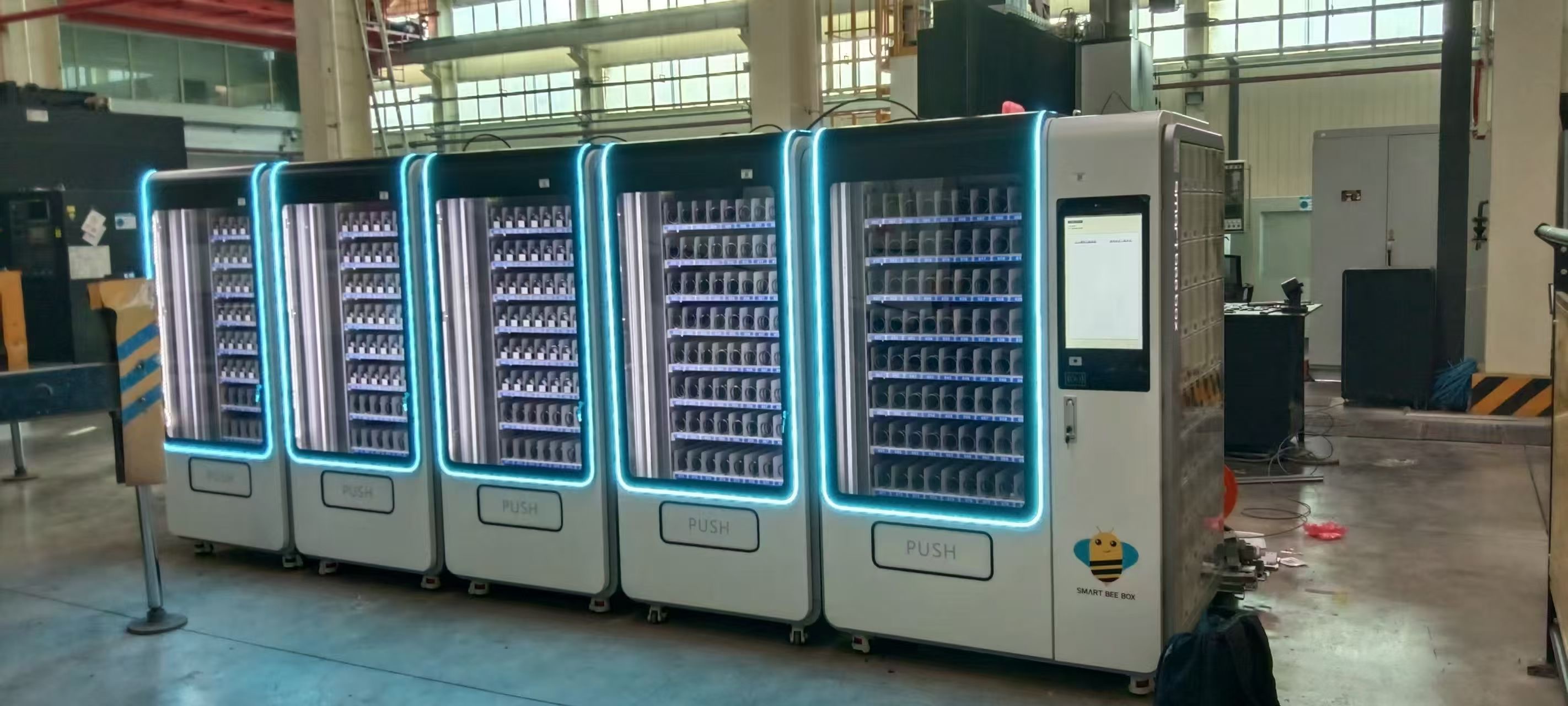
A smart vending machine connects dispensing or controlled storage with software that records access and stock movements. In industrial workplaces, it helps manage tools and consumables through user identification, inventory updates and reporting.
Key points
- Choose a dispensing format suited to your materials.
- Connect employee collection with usable stock information.
- Evaluate seven potential benefits against actual costs and results.
Selecting an item and collecting it is the familiar part of vending. In an industrial workplace, the system also needs to support stock control and a reliable record of what was issued.
Smart vending combines these functions so employees can collect supplies while the responsible team reviews inventory activity.
Understanding smart vending machines
Different formats suit different materials. Small packaged consumables may fit a dispensing machine, while larger shared equipment may need a locker. Drawer and carousel formats offer other ways to organise access.
The word “smart” refers here to connected controls and information. It does not by itself mean that the machine uses artificial intelligence.
Consider item dimensions, packaging, available floor space and the collection process before comparing models. Test the supplies your team will actually use.
How a smart vending machine works
A typical workflow starts with an employee identifying themselves using a supported method. They select an item, collect it and complete the transaction. The system updates the relevant records according to its configuration.
Managers can then review recorded quantities and activity. Authentication options, return handling, alerts and integration capabilities vary and should be confirmed for the proposed setup.
SmartBeeBox’s inventory software includes real-time tracking and collection-and-return functions. Explore SmartBeeBox software.
How employees use the system
Training should cover normal collection, returns, incorrect dispensing and any assisted-access procedure. Employees also need to know what to do if the machine or network is unavailable.
Make the selection screen and item descriptions clear enough to distinguish similar products. A convenient process is easier to follow consistently across shifts.
1 Better inventory visibility
Recorded movements help teams see changes in stock without waiting for a periodic report. This makes replenishment needs easier to identify. Physical checks remain useful for confirming that records match the items present.
2 Less avoidable waste and loss
Controlled access and transaction records can help teams investigate unexplained consumption or missing items. Access rules should fit the work and allow necessary supplies to be obtained promptly.
3 More efficient collection
Placing suitable supplies near the point of use can reduce walking and waiting. Measure collection time and check for queues before deciding whether the proposed location improves the workflow.
4 Better control of inventory costs
Usage information can inform purchasing and help identify unnecessary stockholding. Compare those benefits with equipment, software, servicing and replenishment costs to assess the overall value.
5 Clearer accountability
User-linked transactions make recorded handovers easier to review. Investigate discrepancies with the employee and process owner; unusual activity is a reason to check the facts, not a conclusion about misconduct.
6 More timely replenishment
Low-stock alerts can prompt a stock owner to review requirements. Automatic purchasing, where available, needs a defined approval process and suitable integration. An alert and a placed purchase order are different stages.
7 Decisions based on usage information
Reports can help managers review demand by item or period. Compare consumption with workload and production changes so that necessary increases are not mistaken for waste.
An illustrative application
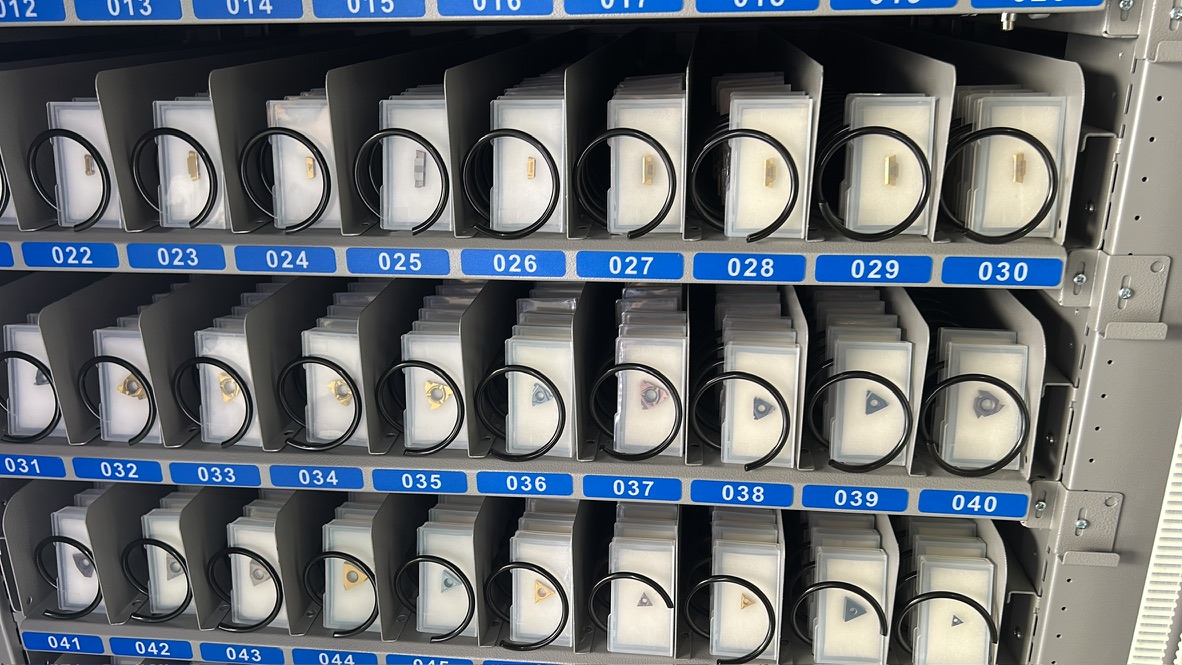
A machining team places compatible packaged inserts in a vending machine near the production area. Operators identify themselves before collection, and a stock owner reviews activity and replenishment requirements.
Choosing a system for your operation
Start with the problem you need to solve, then test whether the proposed equipment and software address it. Include the people responsible for using, replenishing and supporting the system in the evaluation.
Discuss smart vending with SmartBeeBox.
Frequently asked questions
Are smart vending machines profitable?
Their business value usually comes from operational improvements rather than selling products to employees. Compare measured benefits with the full cost of equipment, software, servicing and operation.
Are smart vending machines worth it for every factory?
Suitability depends on transaction volume, item compatibility, current problems and operating costs. A pilot helps establish whether the investment is worthwhile.
What items can a smart vending machine manage?
Possible items include compatible tools, PPE and industrial consumables. Larger or returnable equipment may need a different storage format, and all items should be tested with the proposed setup.