
How Smart Lockers Improve Asset Security and Reduce Loss
Smart lockers support asset security by controlling access and recording collection and return activity. Combined with clear custody and condition checks, they can help teams investigate missing equipment and reduce avoidable loss.
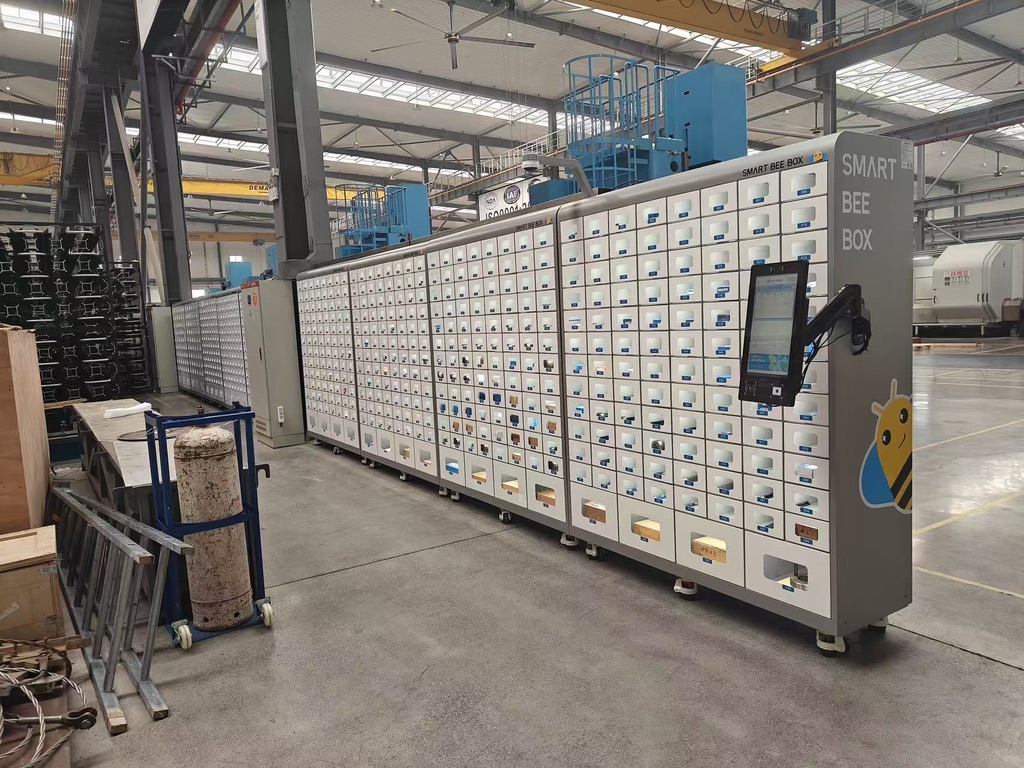
Key points
- Use individual access credentials and appropriate permissions.
- Confirm how the system identifies each asset.
- Keep return and condition checks part of the workflow.
Lost or misplaced equipment creates replacement costs and delays for the next person who needs it. Shared tools, scanners and IT devices are particularly difficult to manage when several teams use the same storage area.
Smart lockers can make these handovers more visible while keeping authorised access convenient.
What asset security means
Asset security covers the measures used to protect resources from unauthorised access, loss, damage and misuse. This article focuses on physical workplace equipment.
Good security combines suitable storage, access permissions, reliable records and a process for dealing with exceptions. No single cabinet or software feature removes every risk.
What a smart locker solution does
A smart locker combines compartments with electronic access and software. Depending on the system, employees may identify themselves using face recognition (Face ID), a badge, PIN or another supported method.
Check what the selected configuration records. Opening a compartment is different from confirming that a particular asset was removed or returned. Shared compartments may need additional identification or checking procedures.
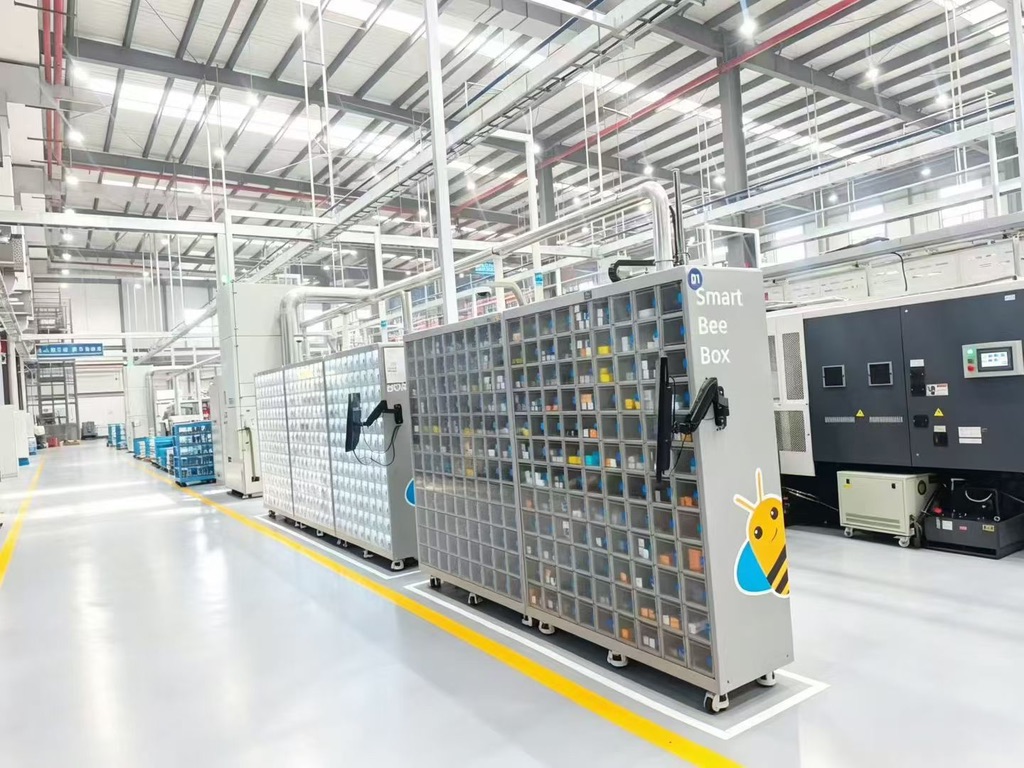
Improving access control
SmartBeeBox supports face recognition to identify authorised employees before they collect tools. Access permissions help each person reach the equipment required for their work, while an HD camera provides an additional visual record for reviewing activity.
Link each employee to their own account and review permissions when roles change. Together, identity checks, camera records and collection history help the responsible team investigate a missing item or an unusual transaction.
Making collection and return visible
SmartBeeBox records who collects each tool and when it is returned. During collection and return, the operator is asked to confirm the tool’s condition.
- If the tool is in good condition, the operator selects “Good”.
- If a problem is found, the operator requests repair and returns the tool.
- The authorised maintenance personnel receive an alert so they can inspect the tool and arrange repair.
This connects custody records with operator-reported condition, helping the next shift distinguish usable tools from those requiring attention. Explore SmartBeeBox collection and return features.
Reducing loss and misuse
Clear collection rules and visible return responsibilities can discourage casual borrowing without a record. If equipment is overdue, an assigned person should investigate promptly; confirm whether automated reminders are included in the proposed system.
Use the investigation to distinguish a delayed return from a recording error, reassignment or actual loss. This helps the team respond proportionately and correct the underlying issue.
Supporting wider asset management
Usage information can help managers review how shared equipment is allocated. Frequently unavailable tools may need a different allocation or more capacity. Rarely used equipment may be suitable for sharing between teams.
Maintenance and inspection status should also influence availability. A returned tool that is damaged should be separated from serviceable equipment and routed through the appropriate process.
Applications across industries
Illustrative uses include shared tools in manufacturing, scanners in distribution centres and laptops in an office equipment pool. Construction and healthcare applications need storage and operating procedures suitable for their environments.
Charging, repair reporting and connections to other systems depend on the configuration. Verify them individually instead of assuming that every smart locker includes them.
An illustrative shift handover
A production team shares calipers and other measuring equipment between shifts. Each collection is linked to an employee, and the operator confirms the tool’s condition during collection and return.
If a caliper is damaged, the operator requests repair and returns it. Maintenance personnel are alerted, and the next shift can review its reported status before selecting equipment for the next job.
Choosing a suitable smart locker
Bring sample equipment, your user roles and your return procedure to the demonstration. Test normal use and exceptions, including a damaged item or a failed connection.
Discuss smart locker requirements with SmartBeeBox.
Frequently asked questions
Can SmartBeeBox help protect shared tools?
Yes. Face recognition, access permissions, HD camera records and recorded handovers help teams control access and review how shared equipment is used.
Can I see who collected a tool and when it was returned?
Yes. Collection and return records link tool handovers to employees and times, helping supervisors follow up on outstanding equipment.
Can employees report a damaged tool through SmartBeeBox?
Yes. Operators can confirm good condition or request repair during collection and return. A repair request alerts authorised maintenance personnel for inspection and follow-up. The condition is reported by the operator; the system does not replace a physical inspection.